

How to Run DeepSeek-R1 AI Offline on Your Phone? (No Internet Needed!)
How to Run DeepSeek-R1 AI Offline on Your Phone? (No Internet Needed!)
📌 Introduction
In today's AI-driven world, privacy and accessibility are key concerns. Running AI models like DeepSeek-R1 locally on your phone—without requiring an internet connection—offers complete control and data security. This guide will walk you through the process of setting up DeepSeek-R1 on your Android device using Termux, allowing you to experience offline AI capabilities anywhere, anytime.
🔧 What You Need to Get Started
Before diving in, ensure you have the following:
1. Hardware & Software Requirements
✅ Android Device (With at least 4GB RAM for smooth performance)
✅ Termux App (Terminal emulator for Android)
✅ Git, CMake, Go Language (For building the Ollama runtime)
✅ Ollama (Lightweight AI model runner)
2. Why Run AI Locally?
- Privacy First: No data leaves your device.
- Instant Responses: AI runs directly on your phone, reducing latency.
- Full Control: Modify and fine-tune models as needed.
⚙️ Step-by-Step Setup Guide
1️⃣ Install Termux & Set Up the Environment
To begin, install Termux from the Google Play Store or the F-Droid store. Open Termux and execute:
termux-setup-storage
pkg update && pkg upgrade -y
pkg install git cmake golang -y
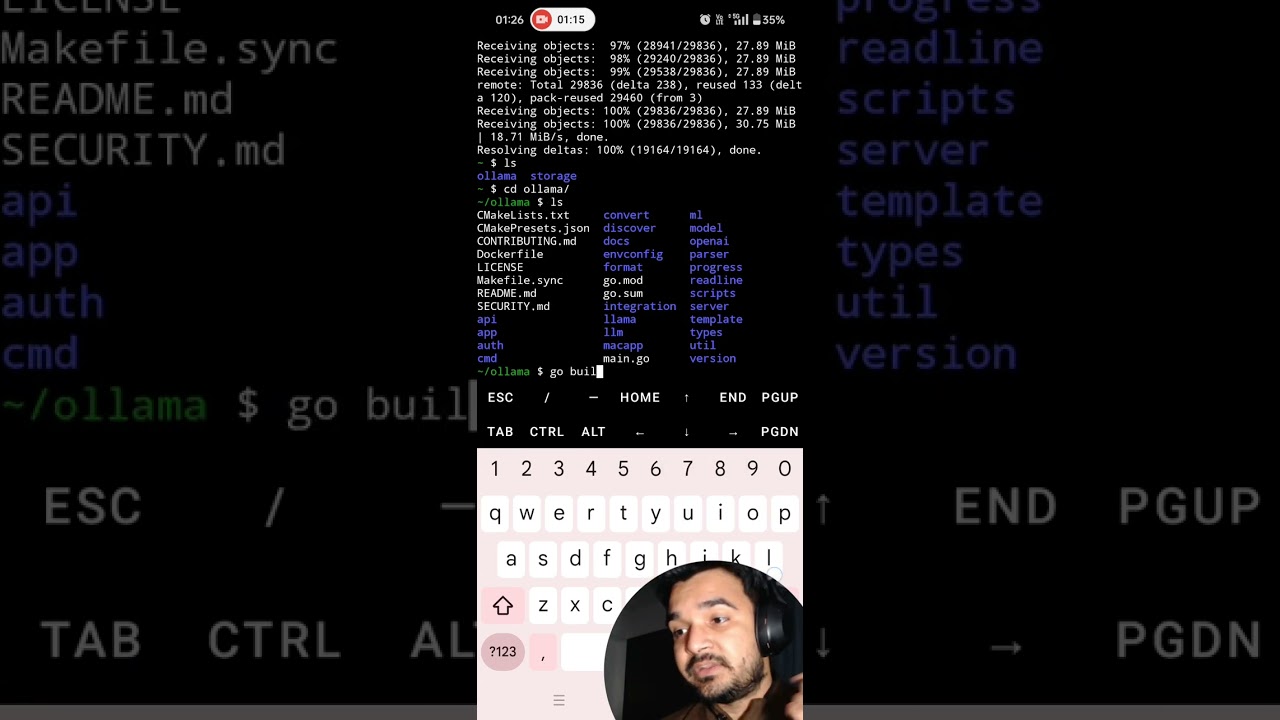
2️⃣ Clone and Build Ollama
Next, download and build Ollama, which is required to run DeepSeek-R1 locally.
git clone --depth 1 https://github.com/ollama/ollama.git
cd ollama
go build .
./ollama serve &
3️⃣ Run DeepSeek-R1 AI Model
Finally, run DeepSeek-R1 locally on your phone.
./ollama run deepseek-r1:1.5b ✅ Done! You now have an offline AI chatbot running directly on your device.
🎥 Watch the Tutorial Video
For a step-by-step visual guide, watch our YouTube tutorial below:
🤖 Why Run DeepSeek-R1 Offline?
🔒 Privacy & Security
Unlike cloud-based AI models, running DeepSeek-R1 offline ensures that no third-party services can access your interactions.
⚡ Speed & Efficiency
Because the model is running locally, responses are instant and do not rely on network connectivity.
🛠️ Customization & Flexibility
You can fine-tune and modify the model to fit your personal or business needs.
🚀 Use Cases for Offline AI
🏆 For Developers & AI Enthusiasts
- Test and experiment with AI models without cloud limitations.
- Develop AI-powered apps that run independently of internet access.
🔒 For Privacy Advocates
- Have secure, private AI conversations without data being stored in the cloud.
- Use AI tools without worrying about data privacy issues.
🌍 For Remote Areas & Travelers
- Use AI-powered translators, assistants, and chatbots in areas with limited internet access.
- Ensure access to offline AI functionalities anywhere in the world.
🔥 The Future of Offline AI & Self-Hosted LLMs
With the increasing demand for privacy and decentralization, offline AI models are expected to grow in popularity. Companies and developers are shifting towards on-device AI and self-hosted LLMs to ensure greater security, efficiency, and independence from cloud-based solutions.
Bytive Technologies is at the forefront of AI-driven solutions, providing businesses and developers with custom AI-powered applications that can run both online and offline.
🚀 Conclusion & Next Steps
Running DeepSeek-R1 offline on your phone is an excellent way to experience the power of self-hosted AI models without internet dependency. Whether you're a developer, privacy-conscious user, or AI enthusiast, this guide helps you set up a fully functional offline AI chatbot with ease.
💡 Need Custom AI Solutions? Let’s Talk!
At Bytive Technologies, we specialise in:
✅ AI-Powered Chatbots
✅ Custom AI Model Development
✅ Automation & AI-Driven Software
📩 Get in Touch Today to bring AI-powered innovations to your business!


